



The time has come - an exciting new feature is now available to all wibutler users: „Advanced rules“. This new rule type extends the flexibility of the wibutler pro and offers you the opportunity to make your smart home even more energy-efficient, convenient and secure.
What are „extended rules“?
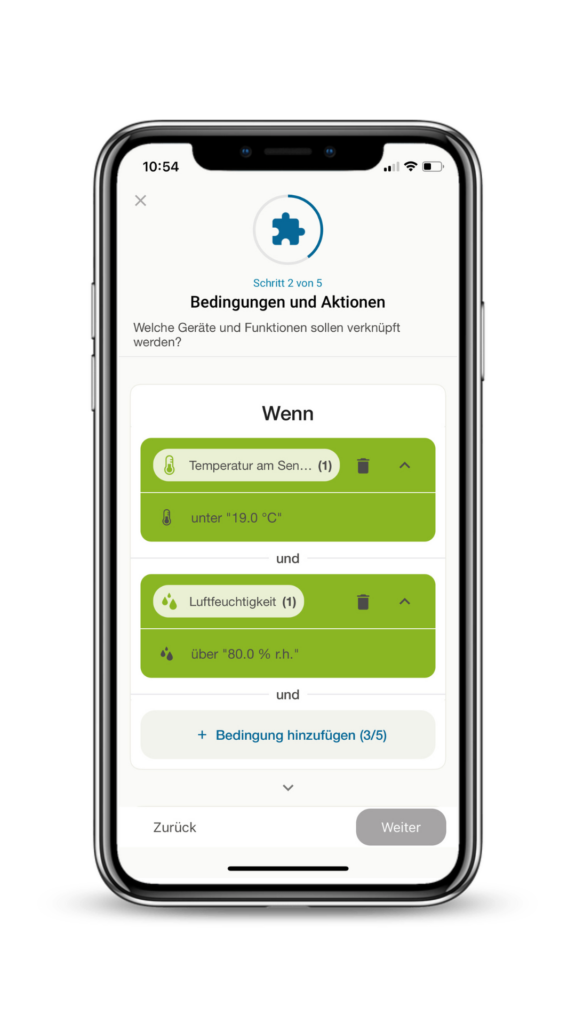
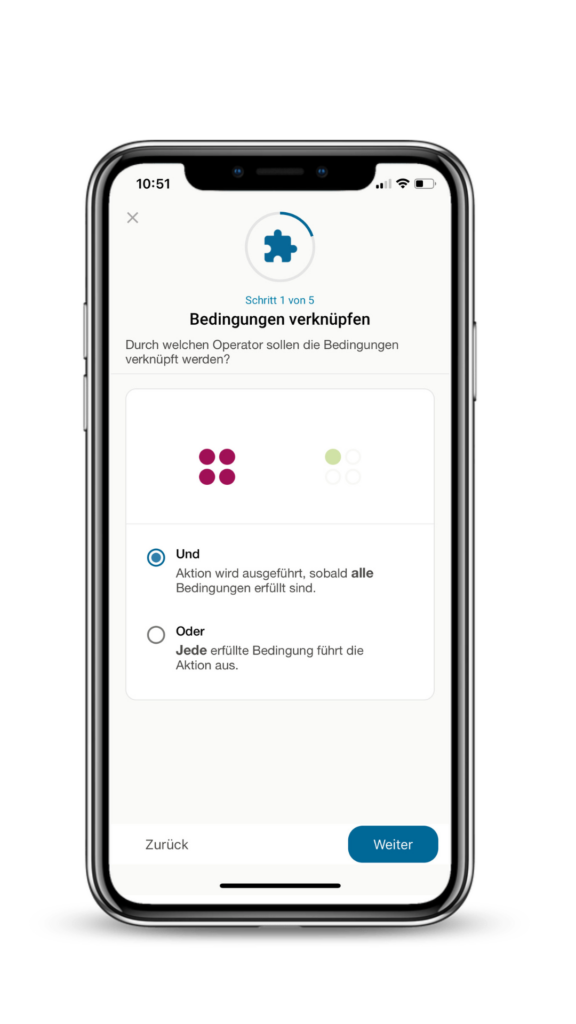
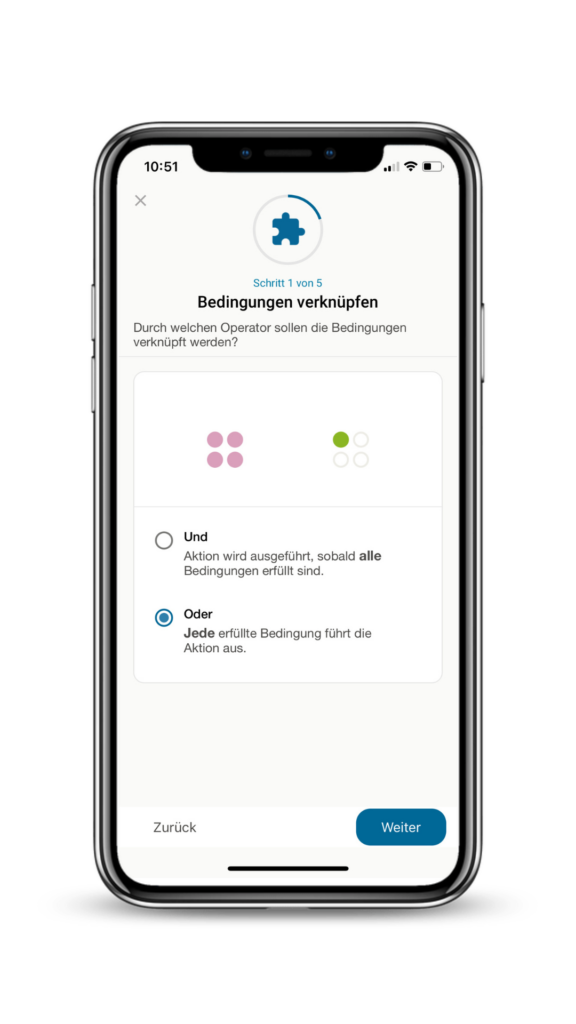
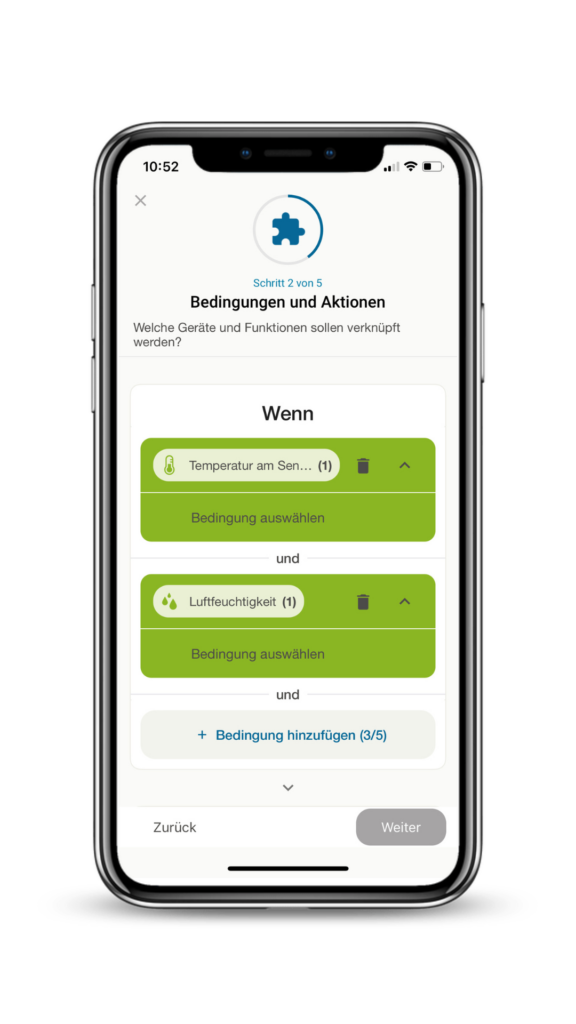
Until now, wibutler offered you the alarm function, time rules and if/then rules with which you could automate devices in your home. The extended rules now go one step further. They allow you to combine up to five conditions in one rule, which are linked either by „And“ or „Or“ links. Applications for which you previously needed several if/then rules can now be implemented with one extended rule. What's more, extended rules can map much more complex scenarios, making your home even smarter.
Simple application examplee
- Lighting control: With an advanced rule, you can switch on the light when either a button is pressed or a motion detector detects movement.
- Shading automation: Allow your blinds to move into position precisely when the sunlight and the temperature exceeds the values you have defined.
Technical requirements for the update
If you want to use the advanced rules, you need to update both the wibutler app and the firmware of the wibutler pro control centre.
- wibutler app: Visit the App Store on your smartphone and carry out an update. At least app version 2.15 is required.
- wibutler pro firmware: Open the wibutler app and install firmware version 2.52.
How the conditions work
With an „And“ function, all conditions must be fulfilled at the same time for the desired action to be executed. If the status of a condition changes from „fulfilled“ to „not fulfilled“ and then back to „fulfilled“ after the rule has been executed, the system automatically executes the action again. This makes the „And“ function ideal for scenarios in which you want to ensure that certain conditions are met at the same time in order to trigger an action. For example, the light can be switched on if motion is detected and the brightness value is undershot at the same time.
In contrast, an „Or“ function triggers the action as soon as one of the defined conditions is met. Each time one of the conditions is met - even after the rule has already been triggered once - the system executes the action again. This function is ideal for situations in which several possible triggers should trigger the same reaction, such as switching on the ventilation in summer if either the temperature falls below a certain outdoor temperature or a humidity value is exceeded.
Frequently asked questions
FAQ
How many conditions can I set?
You can set up to five „And“ or „Or“ conditions in the advanced rules, which gives you great flexibility.
What do I have to do to use the extended rules?
Simply update your wibutler pro firmware and the wibutler app to the latest versions to gain access to the Advanced Rules.
What about rules that are created by the service user?
These rules are protected from editing by other users and can only be changed or deleted by the service user. You can recognise whether a rule was created by the service user by the small lock symbol.
Where can I find further support?
Our Help Centre offers you instructions, FAQs and other resources. Visit it any time you need help.
Register now
Newsletter
Sign up for the wibutler newsletter now to find out more about your options with wibutler. It will also keep you up to date with every new device and function. Ongoing.