


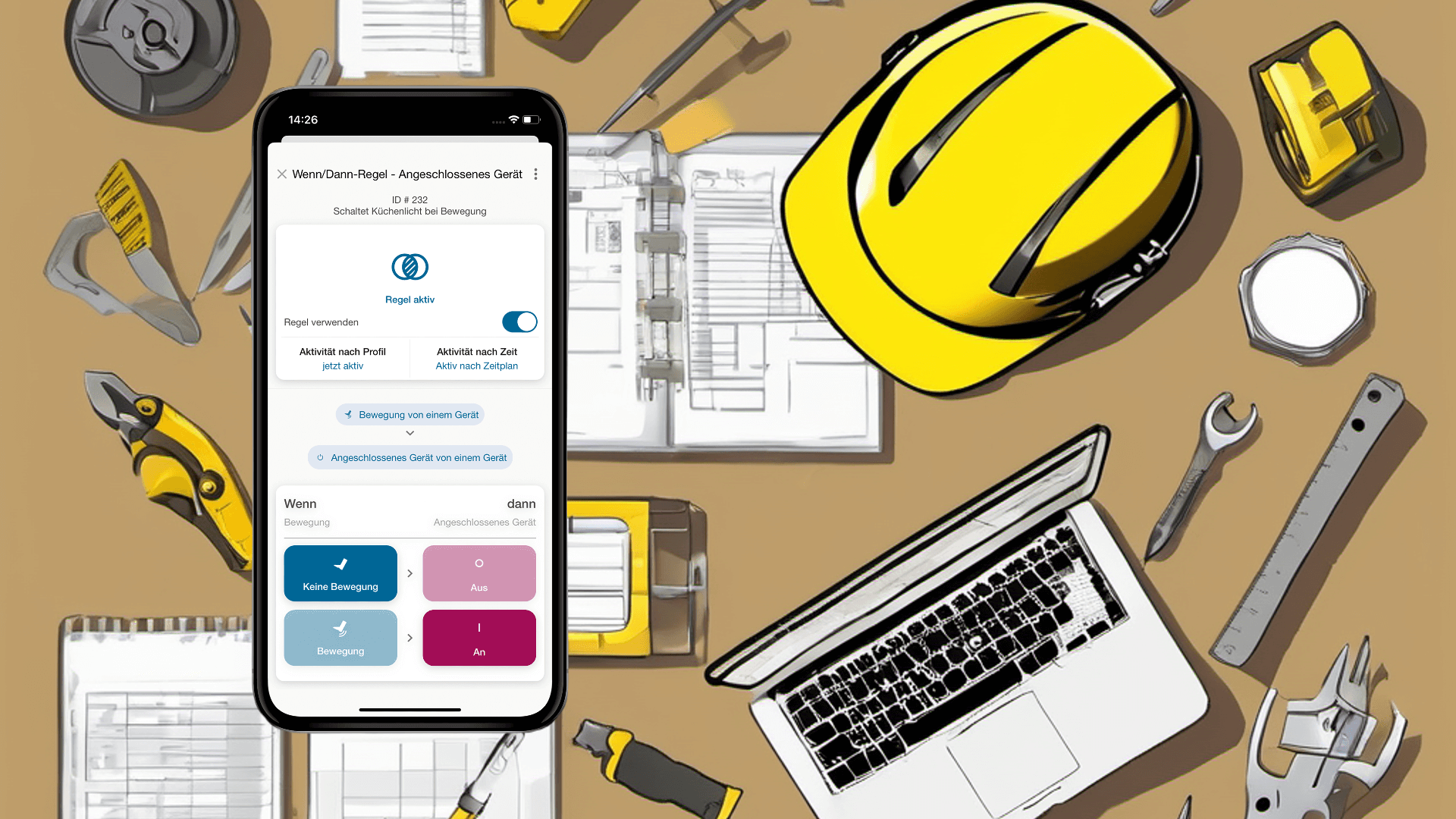
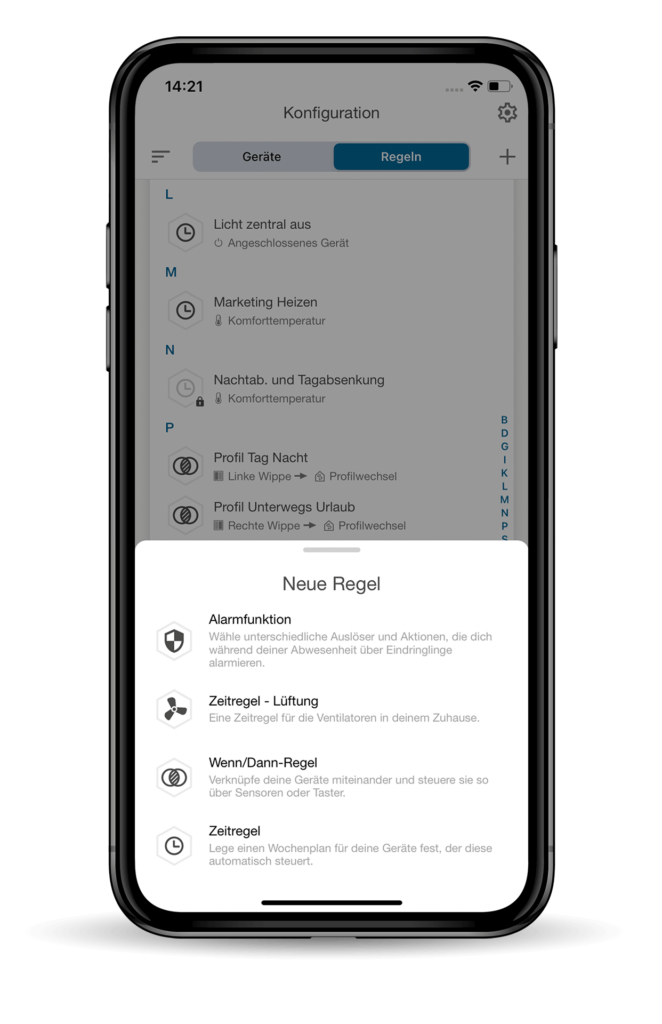
If you use an iPhone or iPad, you should update your wibutler app now. Because then you too can use the new if/then rules. Thanks to the new design, they look great and are more intuitive to set.
You can link two devices with an if/then rule. This can be a push-button and a shutter actuator, a Motion detector and a light bulb or a window contact and a radiator thermostat. An if/then rule offers you many opportunities to save energy and live more comfortably and safely.
Below we will show you how to create an if/then rule in the new iOS design.
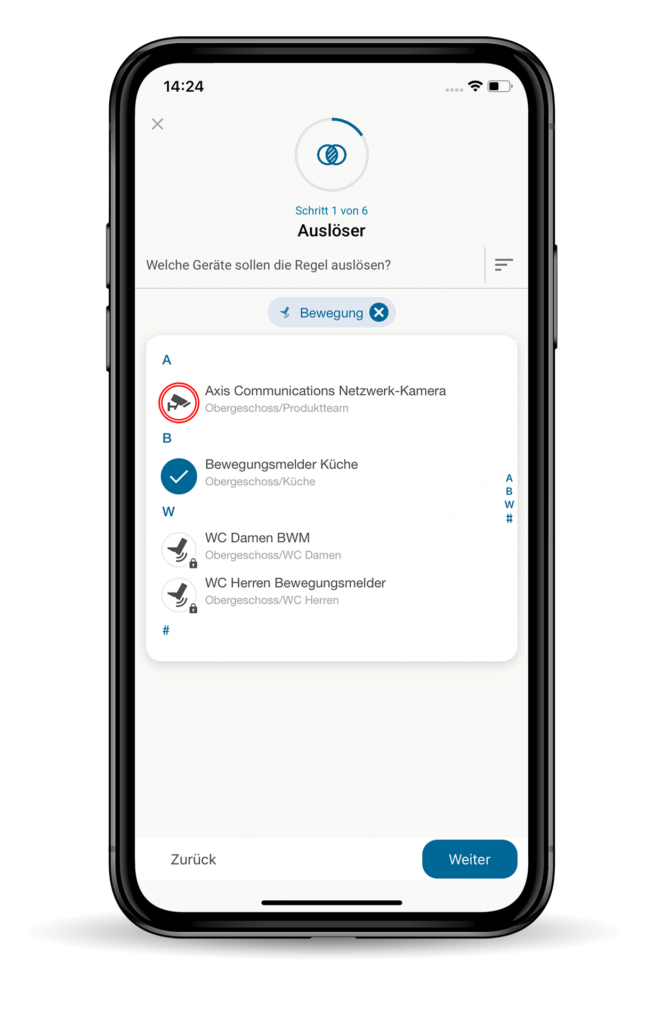
Step 1 of 6: Trigger
Select the device that should trigger the if/then rule. You can also specify several devices as triggers if they fulfil the same function. For example, one or more motion detectors can be selected as triggers.


Step 2 of 6: Action
In the next step, you determine which device should react when the rule is triggered. If the motion detector from step 1 detects movement, you can automatically switch on the light in the kitchen, for example.
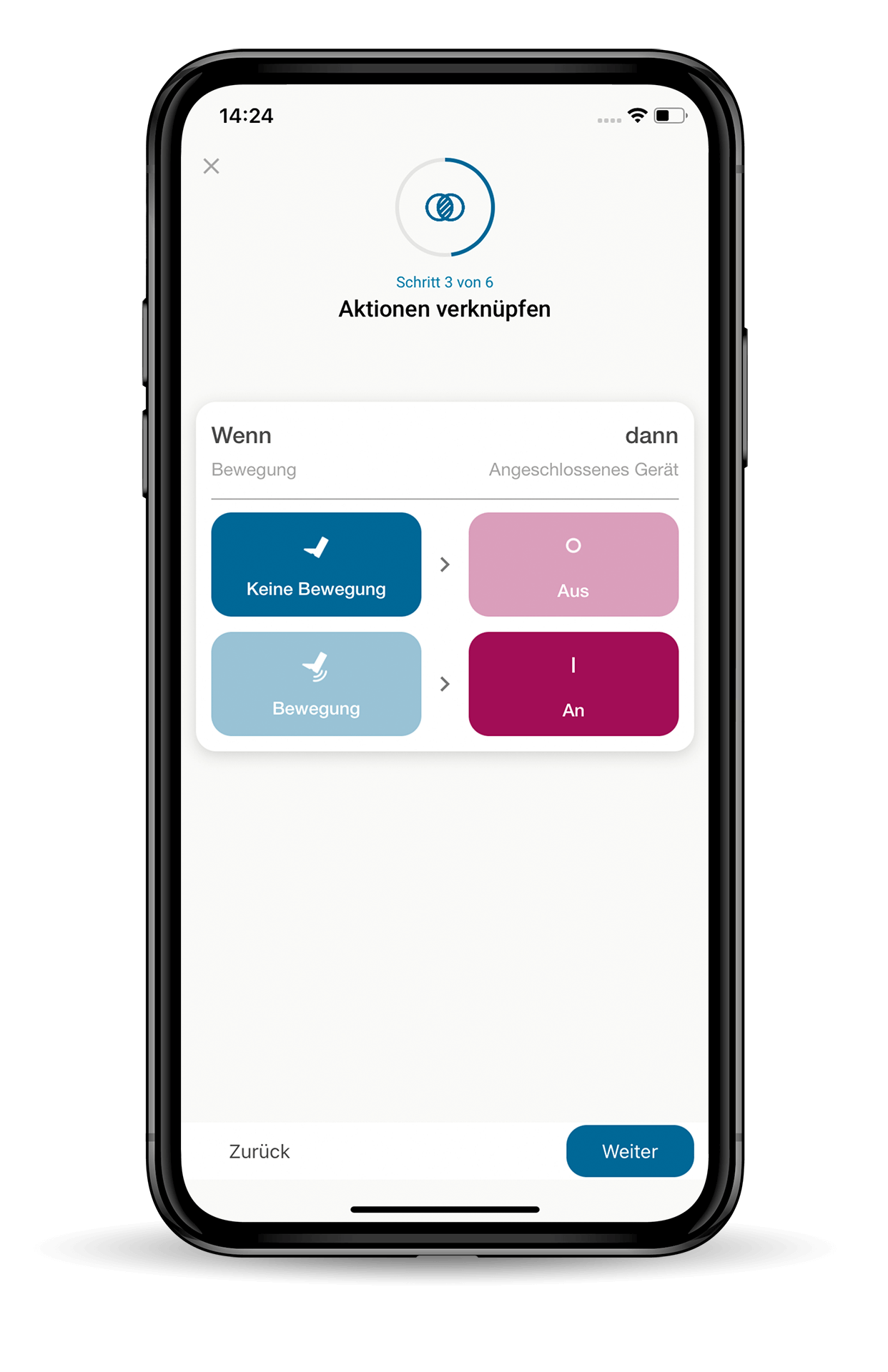
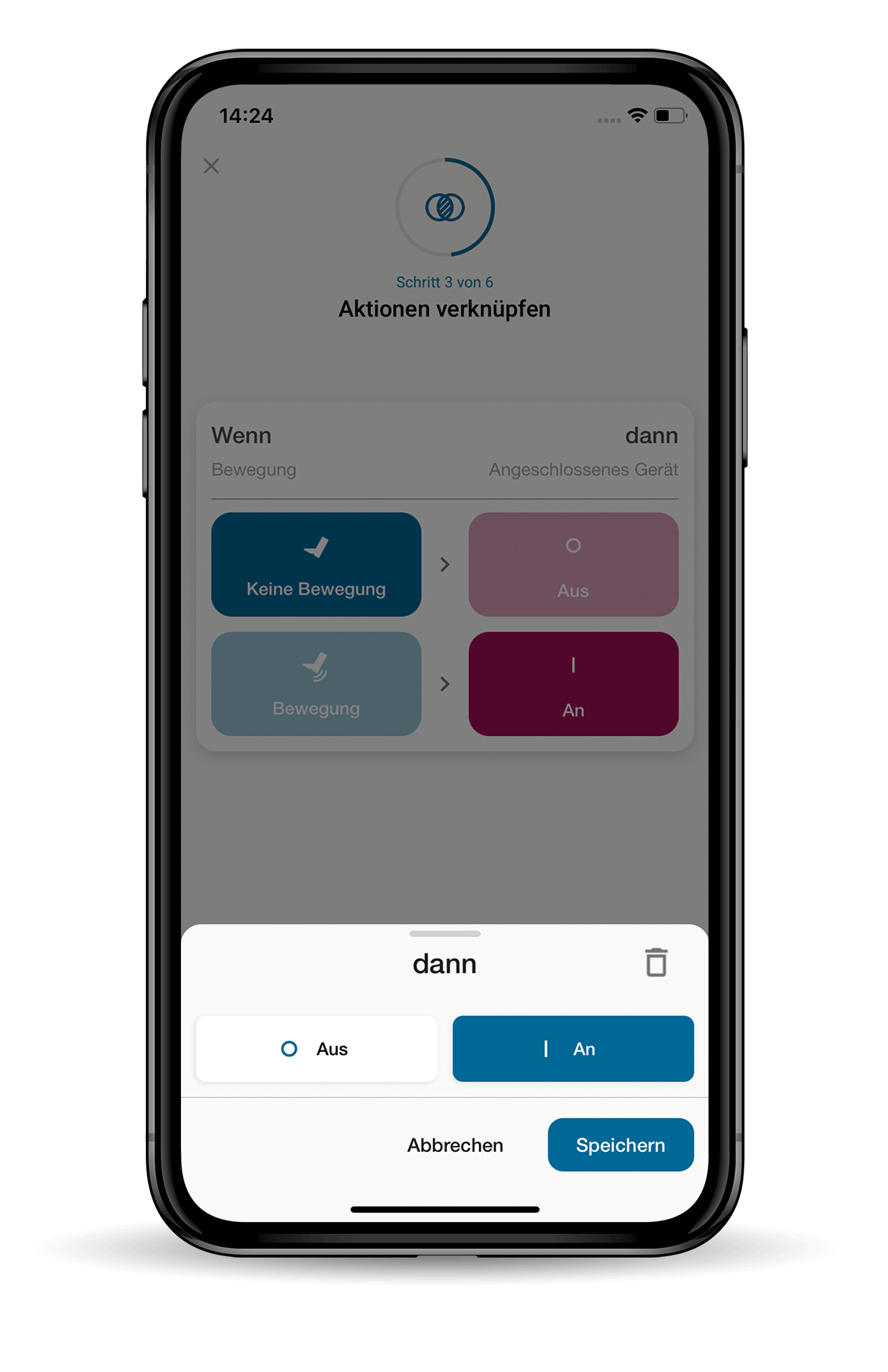
Step 3 of 6: Link actions
In the fourth step, you link the actions. If movement is detected, the light should switch on. If no movement is detected, it stays off.
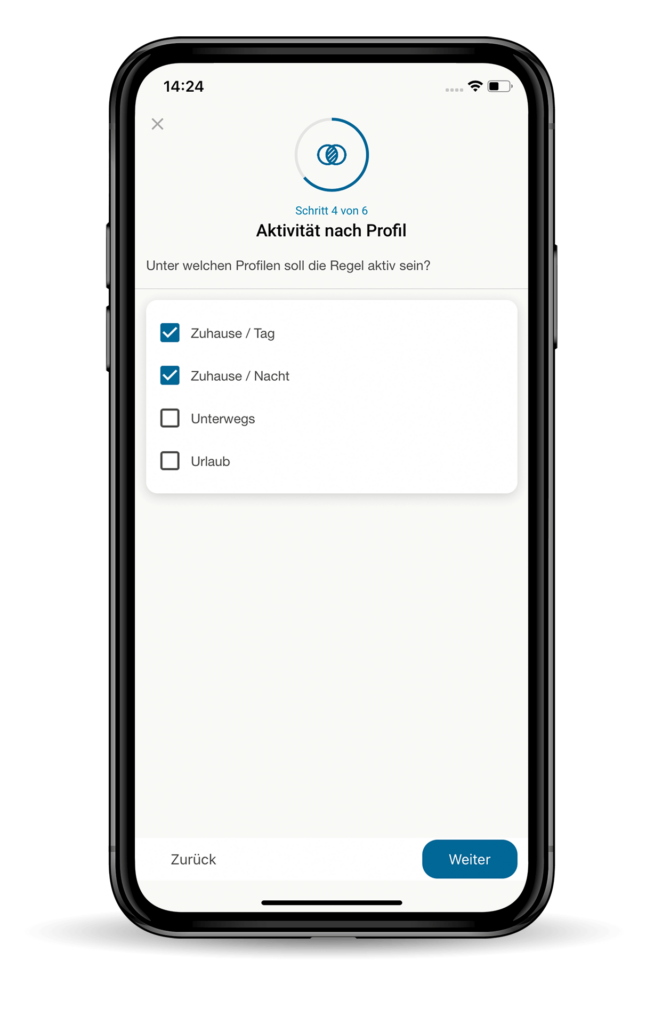
Step 4 of 6: Activity by profile
Once you have successfully linked the two devices, you can define the activity of the rule. To do this, you can first specify whether the rule should only be triggered in a specific profile. The profiles you can choose from are „At home / Day“, „At home / Night“, „On the move“ and „On holiday“.
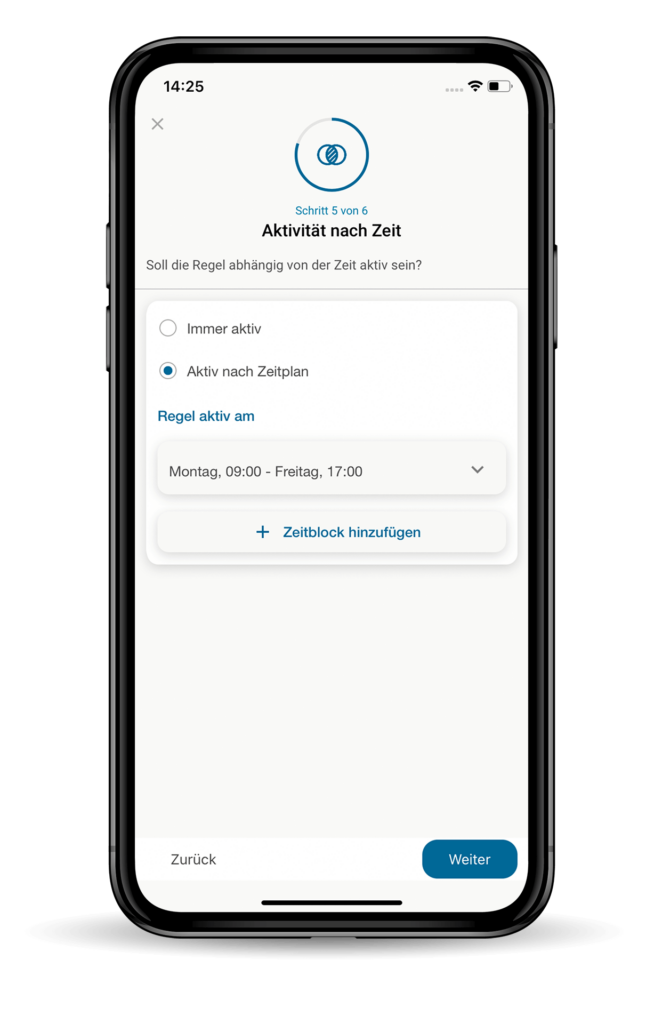
Step 5 of 6: Activity by time
Next, you can also specify whether the rule should only be active at a certain time. If the rule should not always be active, you can set a corresponding schedule.
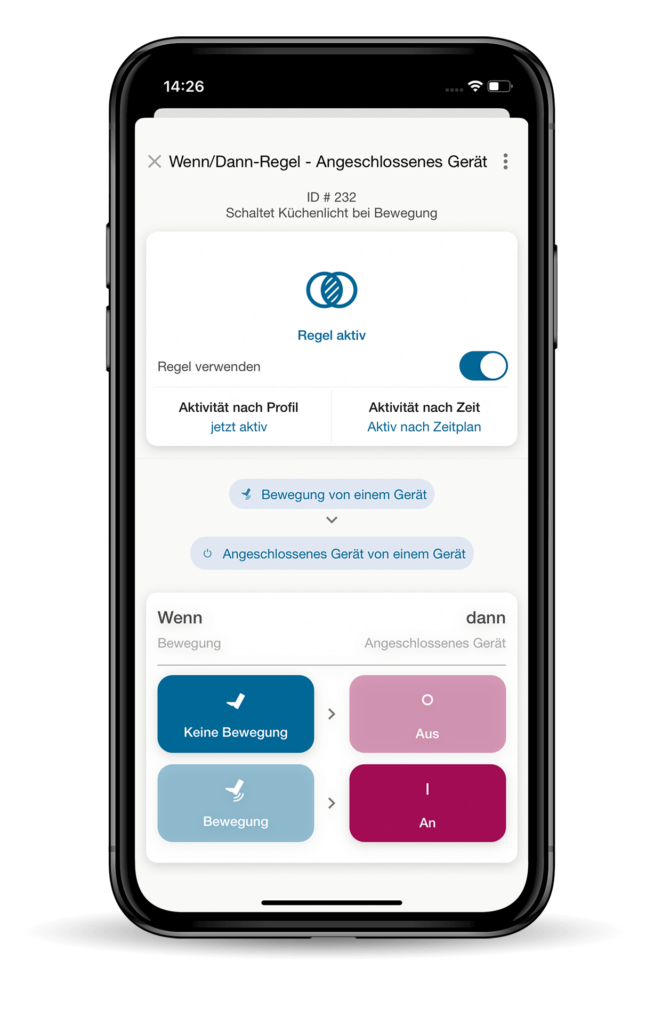
Step 6 of 6: Overview
In the last step, you will see a summary of all the settings for your new if/then rule. If everything is correct, you can close the card and lean back. From now on, wibutler will take over automatically.
Is something missing at home?
Discover the wibutler shop
If you would like to experience the benefits of an if/then rule now, but are still missing the right devices, it's worth visiting shop.wibutler.com. There you will find all the devices you need to increase energy efficiency, living comfort and security in your home.